Curious if ChatGPT can really help you find grants? I put it to the test against Instrumentl while funding an afterschool program. Discover which tool actually saved time, cut through the noise, and delivered real results.
TOPIC
AUDIENCE
You’ve got a program to fund, a deadline on the horizon, and a to-do list that’s already way too long. The last thing you need is to waste time on wild goose chases for grants that lead absolutely nowhere.
As someone juggling all of that myself, I get it! In fact, I recently had to find funding for an afterschool program at Communities in Schools of Pennsylvania (CISPA), where I am the Chief Executive Officer.
Between expired links, vague eligibility guidelines, and endless filtering, finding good-fit grants to hit my funding goal felt more like guesswork than strategy.
I realized that if I wanted to hit my funding goal for CISPA's afterschool program without the usual headache, I needed a smarter strategy.
I decided to test both tools to see which one could actually help:
Both promised to save me time—but only one actually delivered.
I started by testing Instrumentl to see how quickly and accurately I could find relevant grant opportunities for my afterschool program.
I’ll cut to the chase here and tell you that Instrumentl was much better. It got me a list of relevant grants that I was actually confident in applying for.
Here was my process:
Here’s a high-level process of how I completed my grant search on Instrumentl. I’ll explain:
I wasn’t digging through a database. I was telling Instrumentl what grants I needed and letting it do the search for me.
After logging into Instrumentl, the first step is to create a new project. Think of a project like a saved search—it tells the platform what you’re looking for, and keeps all your search criteria in one place.
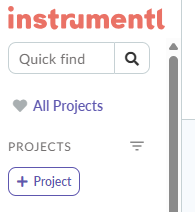
Just click the “+ Project” button to get started.
Enter Basic Project Details
Next, you’ll fill in a few simple fields:
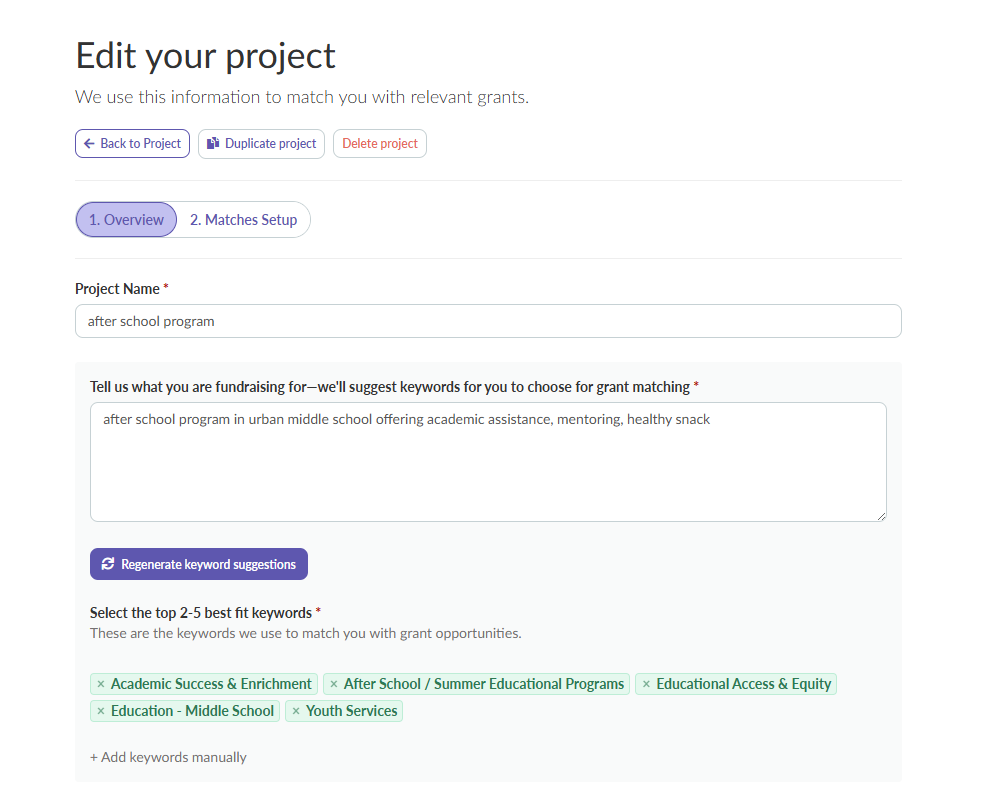
From there, Instrumentl generates keyword suggestions based on your description. It’s fast—and surprisingly accurate!

Project Type
After you select your keywords, you’ll enter:
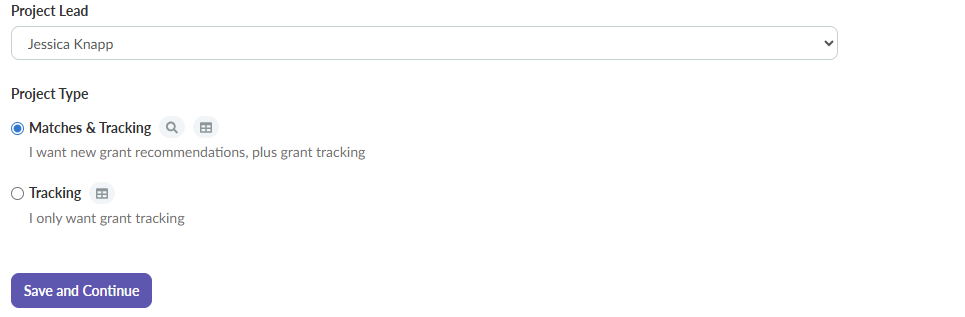
Definitely go with “Matches & Tracking”—that’s where the magic happens!
Applicant Type & Faith-Based Filters
Next, Instrumentl asks what kind of applicant you are. I selected:
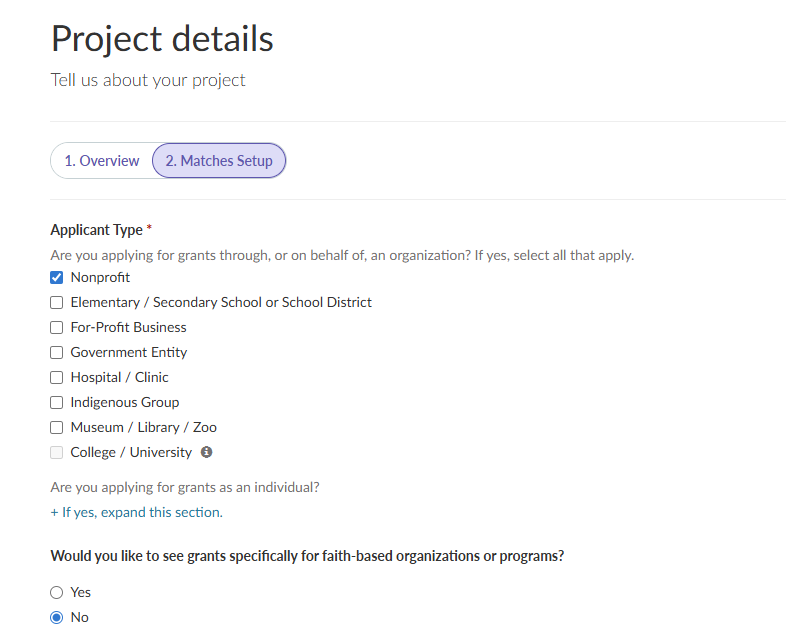
Define Your Service Area
Then it’s time to get geographic. Instrumentl lets you pinpoint the exact areas your program serves.
First, I selected “Inside the U.S”.
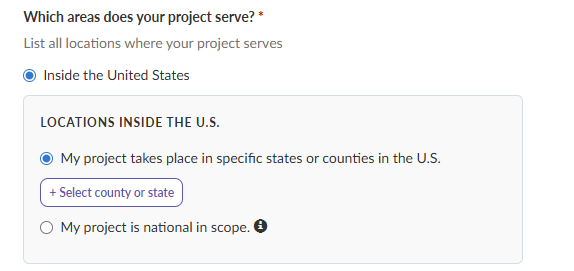
Next, I chose my state—Pennsylvania—then drilled down into Dauphin County and Lebanon County.
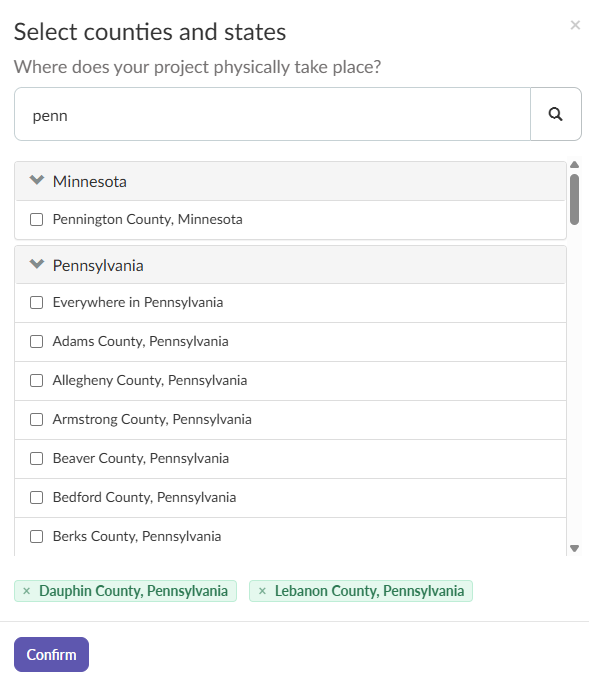
Up to this point, the whole setup had taken me less than 3 minutes!!
Funding Details & Use of Funds
Now for the money part! Instrumentl asks:
Once you’ve entered in all that information, you click “Save and Exit”…and wait for the magic to happen!
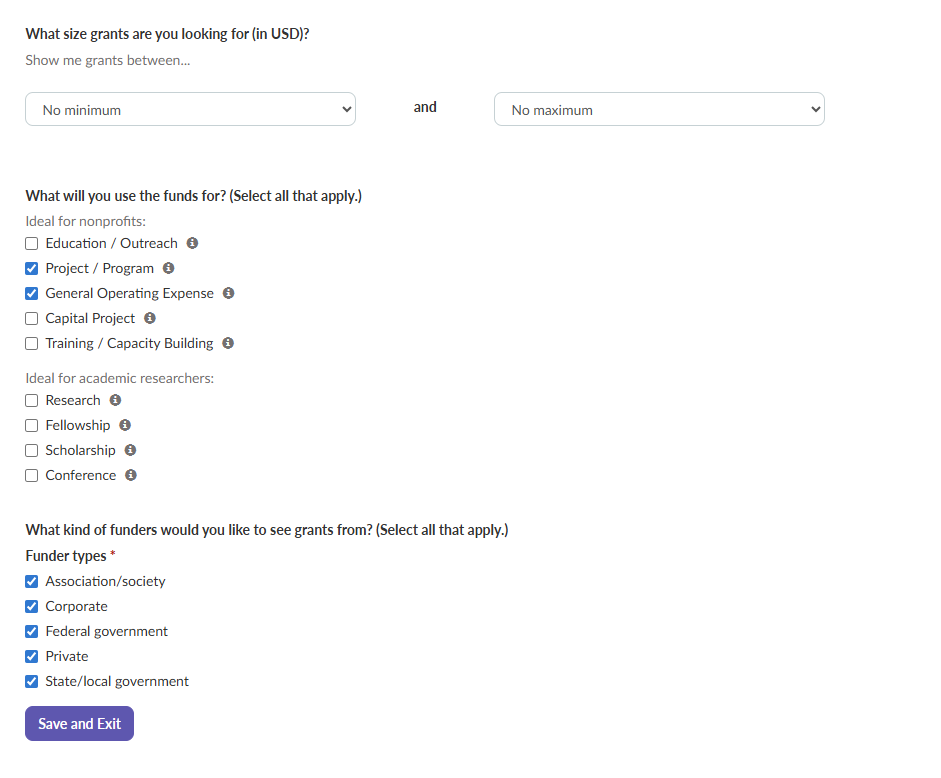
Project Complete - Let the Matches Begin!
In total, it took me just 4 minutes to fully set up my project.
After I hit “Save and Exit”, Instrumentl generated a list of 468 grant opportunities within less than one minute!
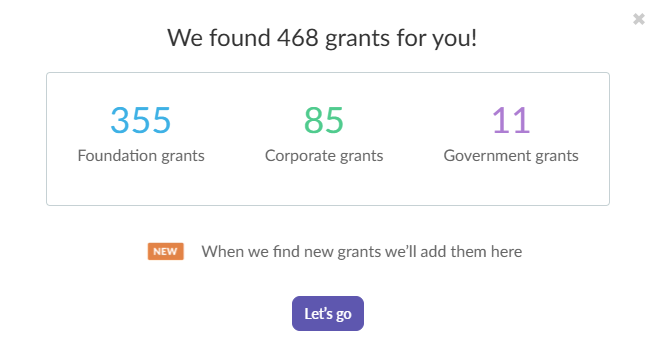
Now, come along with me while I explain how I reviewed these matches and saved the opportunities I decided to pursue. Let’s dig in!
Once Instrumentl generated my full list of (468!) matches, it was time to dive in and start narrowing things down.
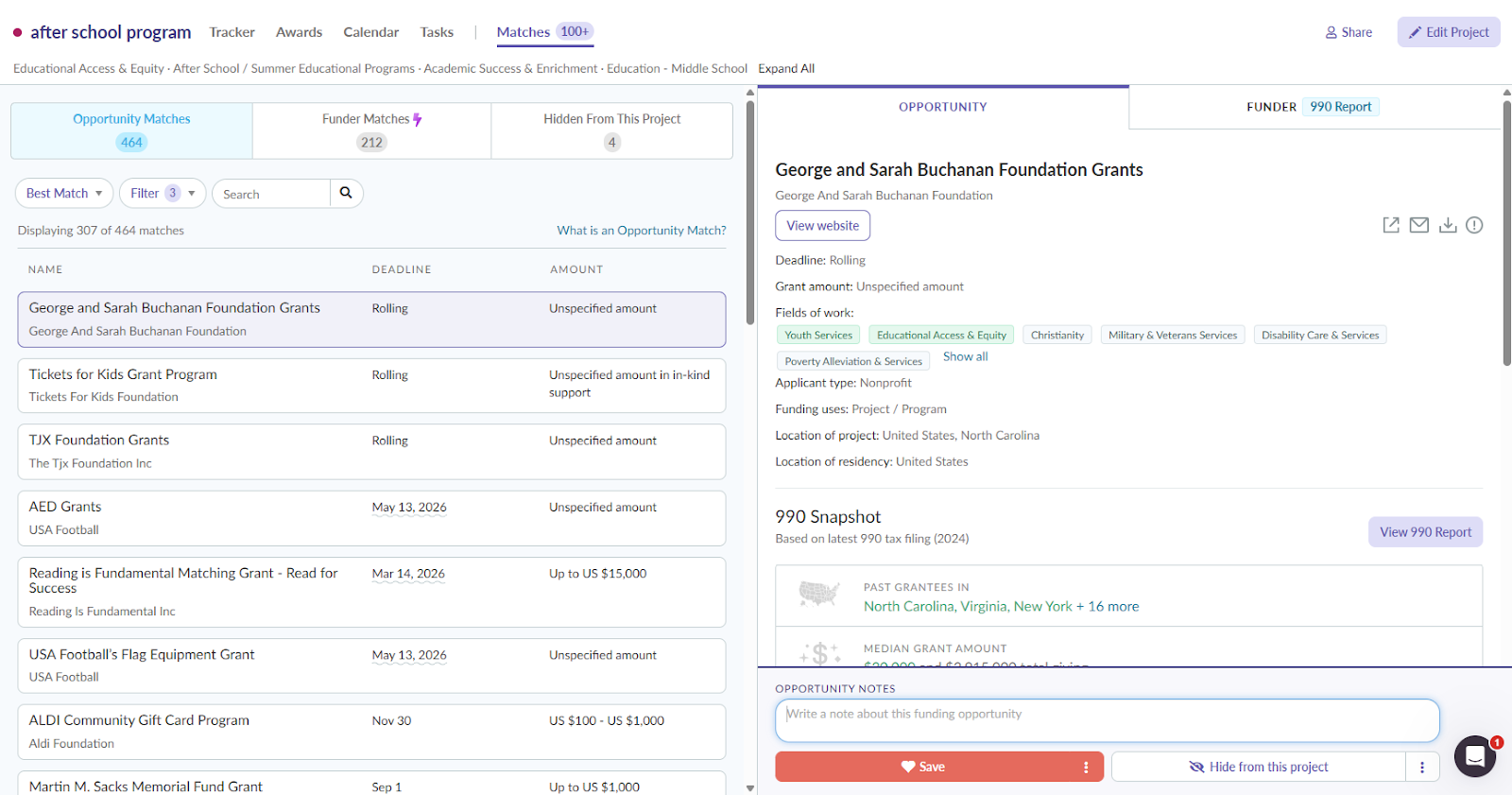
The layout instantly felt familiar—like an email inbox:
Now, you might be thinking, “468 grants? That’s a lot to sift through!”
And you’d be right. But Instrumentl made it easy with powerful filters and sorting options that helped me quickly surface the most relevant opportunities.
You can sort by:

You can also filter your results by criteria such as:
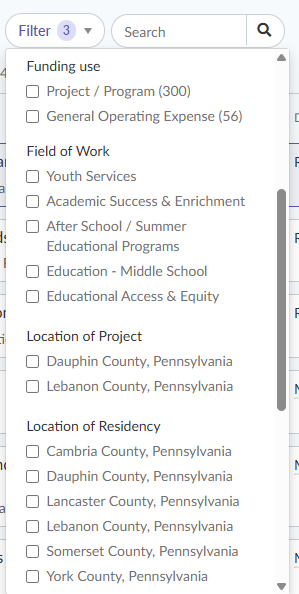
My Filtering Strategy
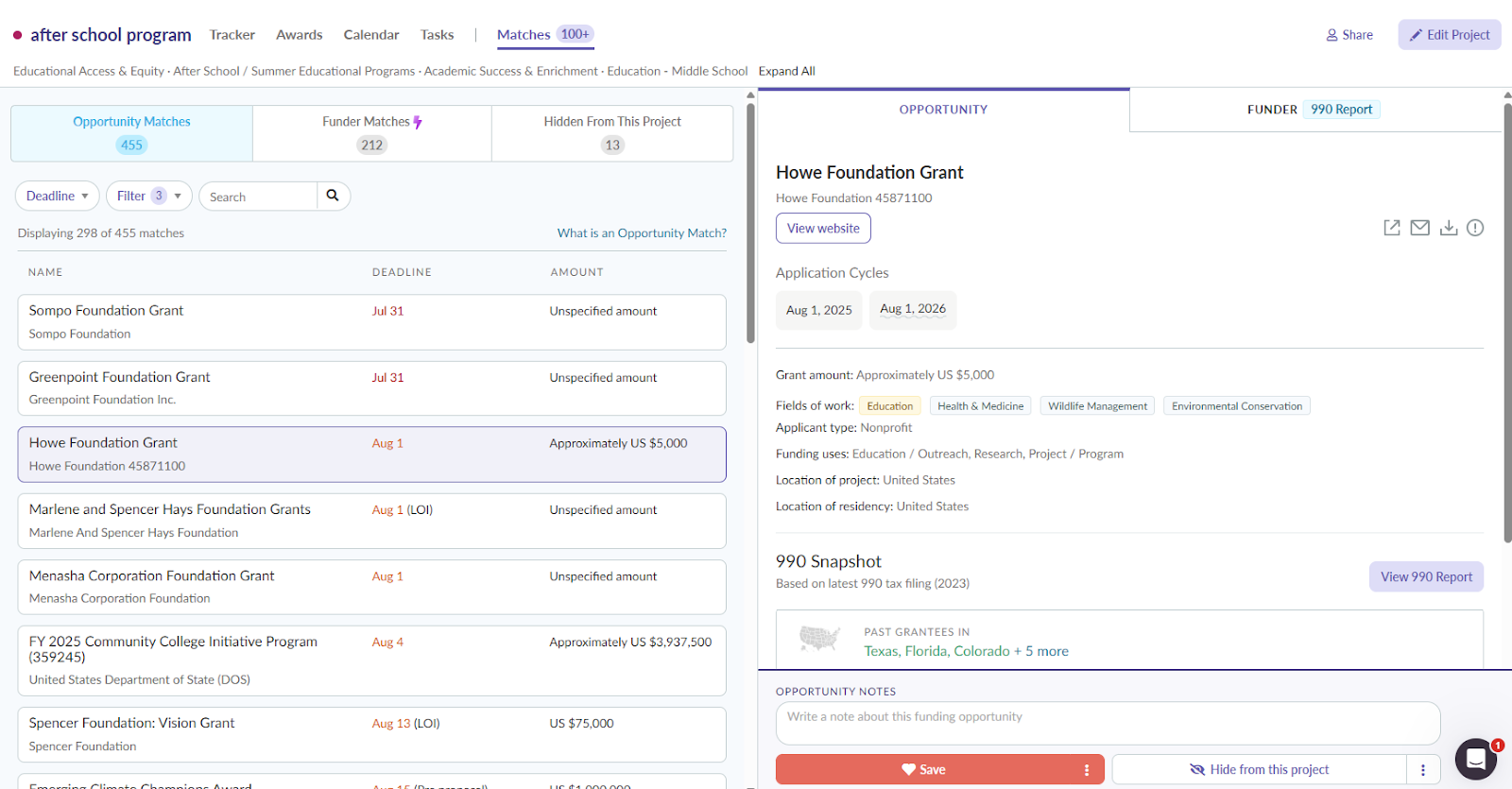
Since I was working on a tight timeline and wanted to find funding quickly, I sorted my results by soonest deadline so that I could prioritize fast-approaching opportunities.
Saving or Dismissing Opportunities
Next, I began reviewing opportunities one by one.
I started with the Sompo Foundation. In the “Opportunity” tab, I could immediately see:
At first glance, it looked like a potential fit—so I clicked the “Save” button to add it to my grant tracker.

If it hadn’t been a match, I could have clicked the “Hide from this Project” button, and the opportunity would have disappeared from my results list.

This simple feature helps keep clutter out of your opportunity matches list so you can stay focused and organized. It’s a small touch that makes a big difference when you’re reviewing dozens (or hundreds) of opportunities.
Once you’ve added a bunch of opportunities to your grant tracker, Instrumentl makes sure none of your deadlines fall through the cracks. The platform automatically generates a visual grant calendar based on your saved matches—simply click on the “Calendar” tab at the top of your screen.

Your Grant Calendar At-A-Glance
The calendar view lays out all upcoming funder deadlines in a clean, easy-to-read format.

On days where something is due, you’ll see a gray tile that includes:
At a glance, you can tell exactly what’s due and when, which makes planning your week (or your month, or your year) a whole lot easier.
And over time, your calendar will start to include more than just application deadlines. You’ll also see:
It’s one of the simplest ways to stay organized without having to build (or manage) a separate spreadsheet or reminder system.
From the Calendar view, you can click on any task tile to open up the full grant opportunity page.
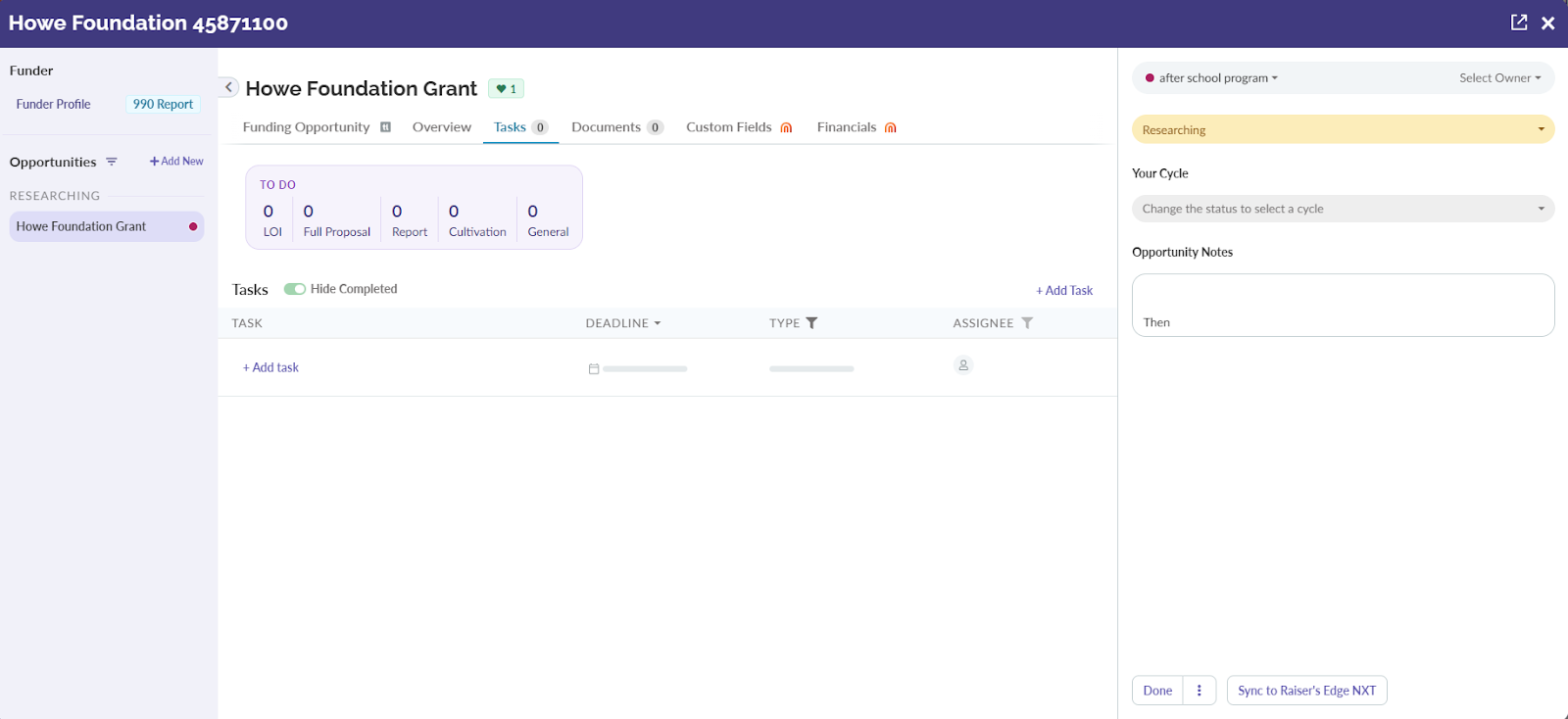
Click on the “Tasks” tab, and you’ll be able to build a fully customizable, interactive to-do list for yourself and your team—right inside the platform.

Creating a Task
To add a task, just click the “+ Add Task” button.

From there, you can input:
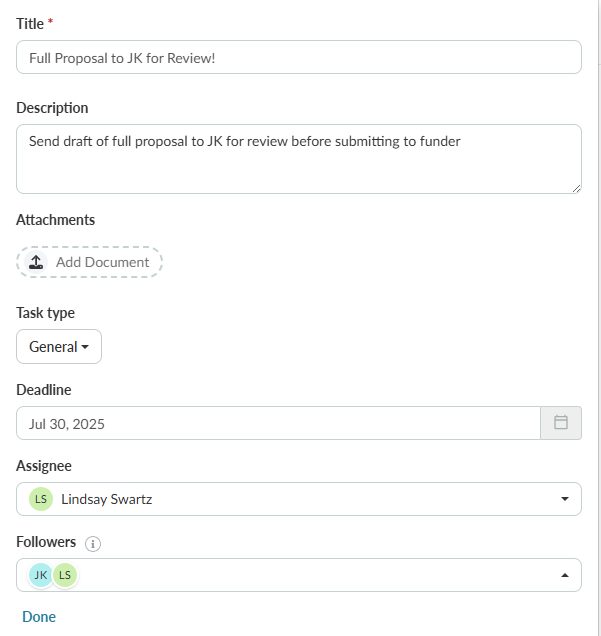
Once you hit “Done”, the task is automatically saved, and now it appears on your project’s calendar as well!
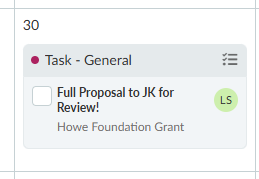
Why This Feature Matters
This kind of built-in task management is a game changer. It keeps your entire team on the same page across every stage of the grant cycle—from research to writing to post-award follow-up.
Right now, my team is using it to:
But honestly, the use cases are endless. Whether you’re coordinating across departments, juggling dozens of deadlines, or just trying to stay sane during grant seasons, these interactive tasks make it easy to stay organized and accountable.
Using Instrumentl gave me a clear sense of how the tool supports every stage of the grant search process—from research to discovery to deadlines. Below are my key takeaways from my experience: what worked well, what stood out, and where I saw the most value added.
All in all, I found that Instrumentl delivered what I was hoping for: relevant results, an organized workflow, and perhaps best of all—time back in my day.
After testing Instrumentl, I wanted to see if ChatGPT could help me identify more grant opportunities for the same project. There were a lot of guides on YouTube on how to use ChatGPT as well as across the web so I wanted to put it to the test.
To get started, I entered a clear, specific prompt asking for grant opportunities for an afterschool program serving urban middle schools in my specific location in Pennsylvania. I specified that funding was needed for both general operating expenses as well as program costs
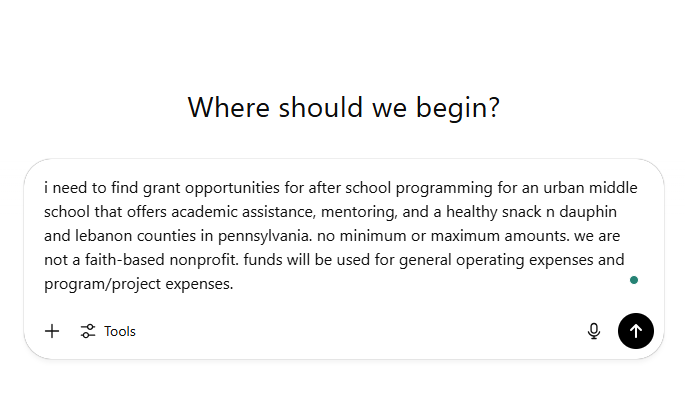
ChatGPT quickly (in less than a minute) responded with a short list of 5 funding opportunities plus a list of suggested next steps. Each included a brief description and what appeared to be a direct link to the funder or grant program.
Check it out:
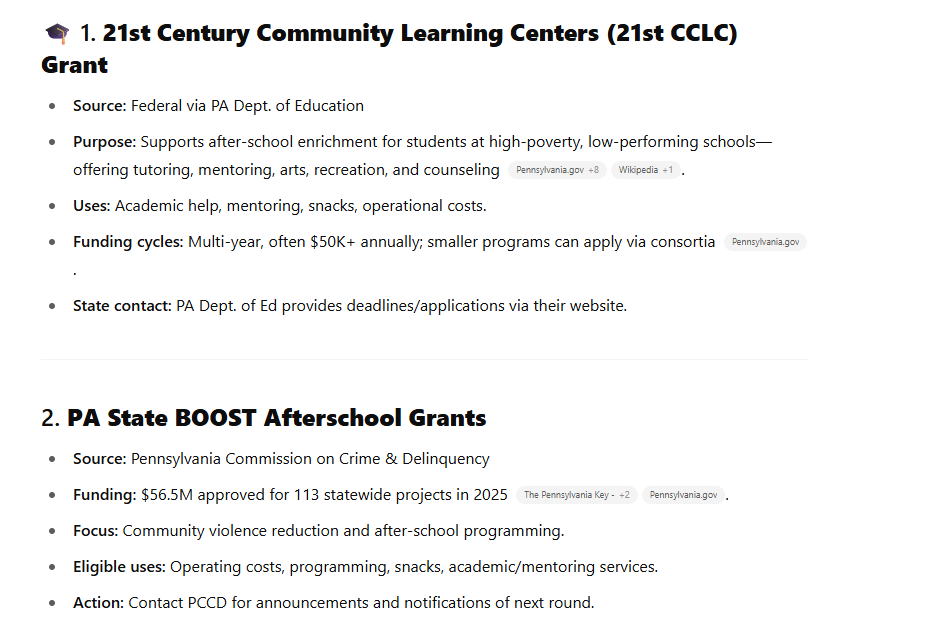
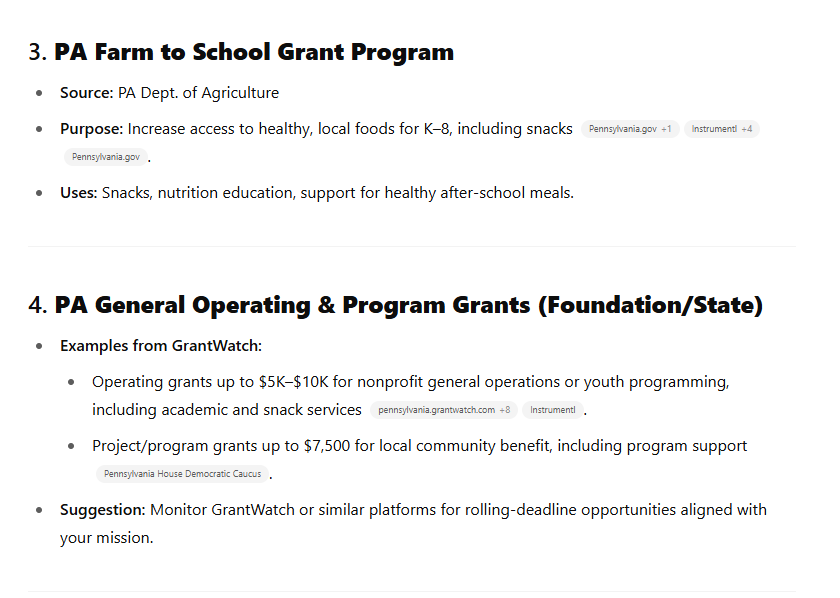
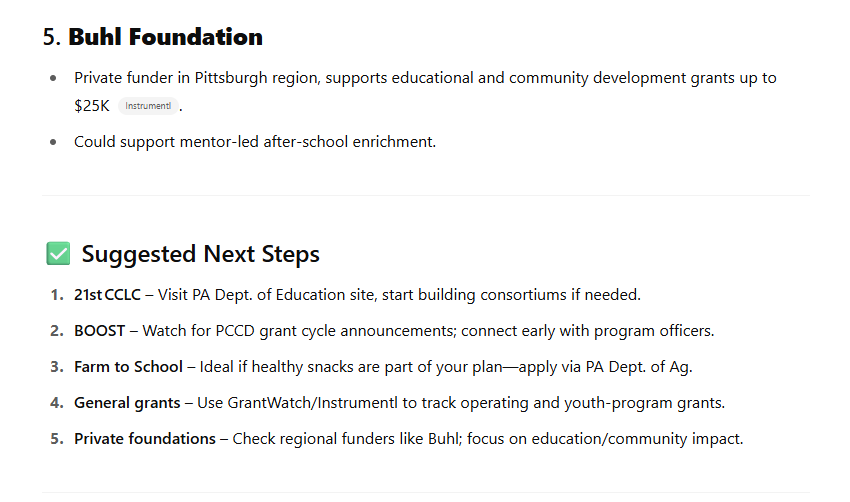
At first glance, these opportunities and suggestions seemed relevant. But when I clicked the links, none of them actually worked. They didn’t take me to application pages or funder websites; instead, I had to go to Google and search for each one manually.
Once I began doing my own research, the limitations of ChatGPT as a grant search tool quickly became clear.
While the initial response looked promising, the deeper I dug, the more limitations surfaced.
Let me explain each in more detail.
Outdated Opportunities
Two of the AI-suggested opportunities were no longer active and had outdated information.
Ineligible or Irrelevant Funders
Some suggestions didn’t apply to my organization or location:
Broken Links
None of the links ChatGPT provided led to an actual grant website. Even after asking ChatGPT specifically to include links in the results—the links were still broken.

I had to manually Google search each of the 5 suggested opportunities to find the website—turning what should have been a time-saver into a time-consuming scavenger hunt.
There’s no built-in way to track or organize your search results in ChatGPT. I had to copy and paste each suggestion into a separate spreadsheet, which quickly became messy and inefficient.
I can only imagine how cumbersome it would have been if any of these opportunities had been worth pursuing, and I had to track deadlines, proposal requirements, and tasks. Yikes!
While ChatGPT offered a quick starting point, it ultimately required a lot of manual verification and didn’t surface any usable, ready-to-apply opportunities for my afterschool program.
To make the differences clearer, here’s a quick side-by-side look at how Instrumentl and ChatGPT stacked up when it came to grant discovery, relevance, and overall usability. While both tools have their strengths, the experience of actually finding and managing real grant opportunities was very different.
While you could argue that both tools technically answered the prompt, only one gave me exactly what I needed to move forward with confidence. Instrumentl helped me go from idea to action, while ChatGPT pointed me in the general direction but left me to do the heavy lifting on my own.
At first, ChatGPT felt like a helpful shortcut. But once I started checking the results, the cracks showed quickly.
Most of the grants it listed were outdated, inactive, or simply not applicable to my organization.
Instrumentl, by contrast, gave me:
Here’s the difference: ChatGPT gave me a list. Instrumentl gave me momentum.
If you’re serious about securing funding for your programs, don’t gamble on AI-generated lists. Use a purpose-built tool like Instrumentl to get relevant results, stay organized, and make every minute of grant-seeking count. Sign up for your 14-day free trial today!
Table of contents

