

73% of grant professionals use AI regularly, but most are still working around the gap between their AI tools and their actual data. Connecting Instrumentl to Claude fixes that.
In research we fielded this spring, nearly three-quarters of grant professionals said they use AI at least regularly. But only 31% say it's actually changed how they work. AI tools are useful for drafting, editing, and general research, but the moment you need AI to engage with your actual grant pipeline and priorities, it's harder to connect the dots. So you end up describing your situation from scratch every time.
Building a winning funding strategy isn't just about finding the right grants. It's about knowing which ones are worth your time and being able to move on them quickly. Instrumentl already helps surface the right opportunities. Now, the MCP connector brings them into Claude, so you can think through, act on, and manage your pipeline smarter and faster.
Your pipeline, not just any database
When you connect Instrumentl, Claude gets access to your pipeline — opportunities already scoped to your projects and vetted for fit based on over a decade of funder data and human validation. You're not starting from a list of every grant out there. You're starting from the ones Instrumentl has already identified as right for you, and using Claude to move through them faster.
Ask Claude to surface your highest-priority matches for a specific project, compare funders side by side, or think out loud about where to focus given your capacity this quarter. Claude can engage with those questions because it's working from your real data, not a generic search.
This is what it starts to look like when your grants practice is powered by an AI-connected operating system.

Getting started
MCP stands for Model Context Protocol, a standard developed by Anthropic that lets AI assistants like Claude securely connect to external tools and data. The connector is designed so your data stays safe in Instrumentl, fetched only when you ask for it, visible only to you.
Connect once with the same secure login you use for Instrumentl. From there, everything you do in Claude stays in sync with your account. Save a match through Claude and it appears in your tracker. Hide an opportunity you've disqualified and it won't surface in your matches again.
Getting set up is simple:
From Claude, click Customize on the left side menu. Then select Connectors. Search for Instrumentl and hit the Connect button.
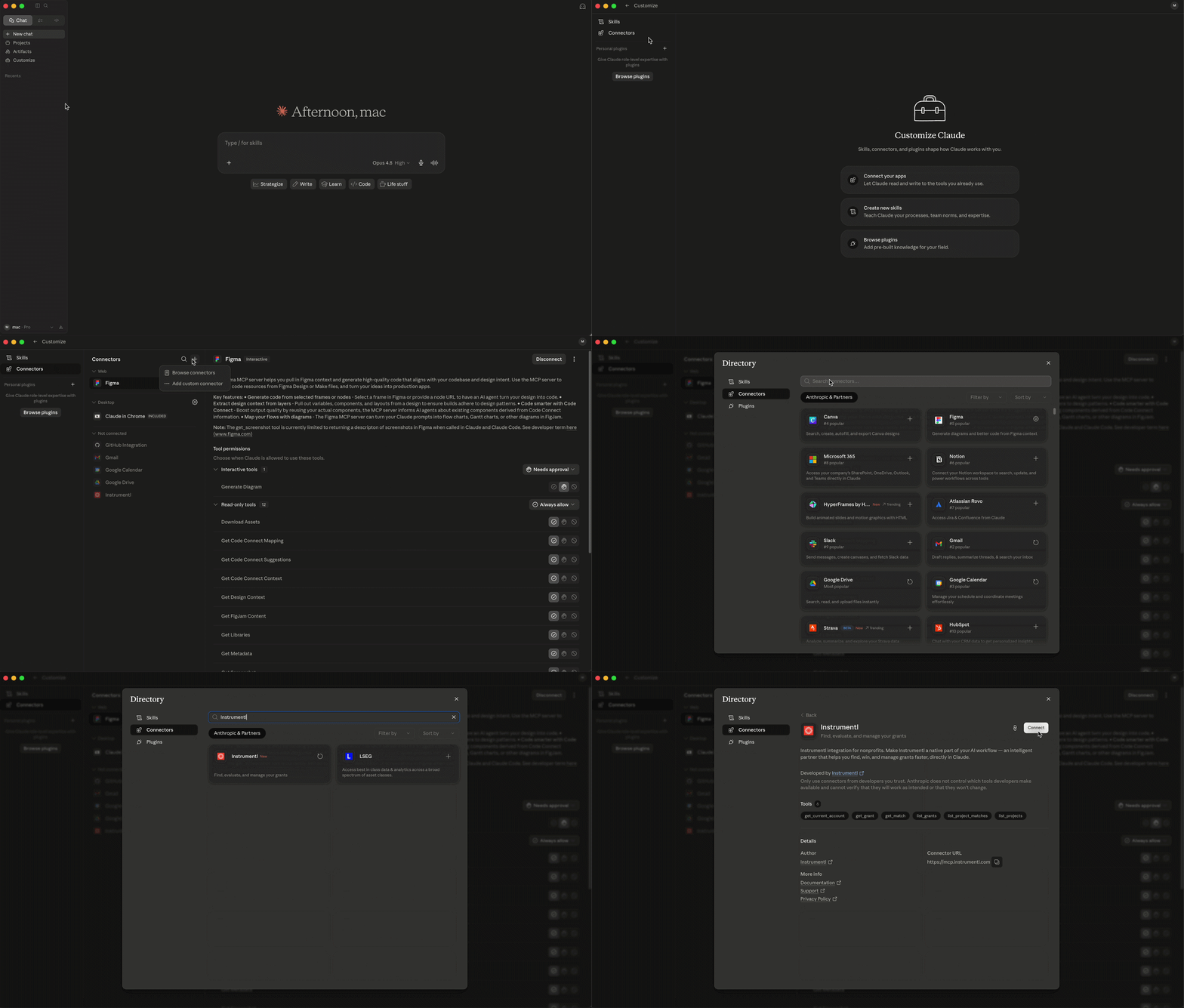
You’ll be prompted to a browser window where you’ll need to authorize your Instrumentl account.
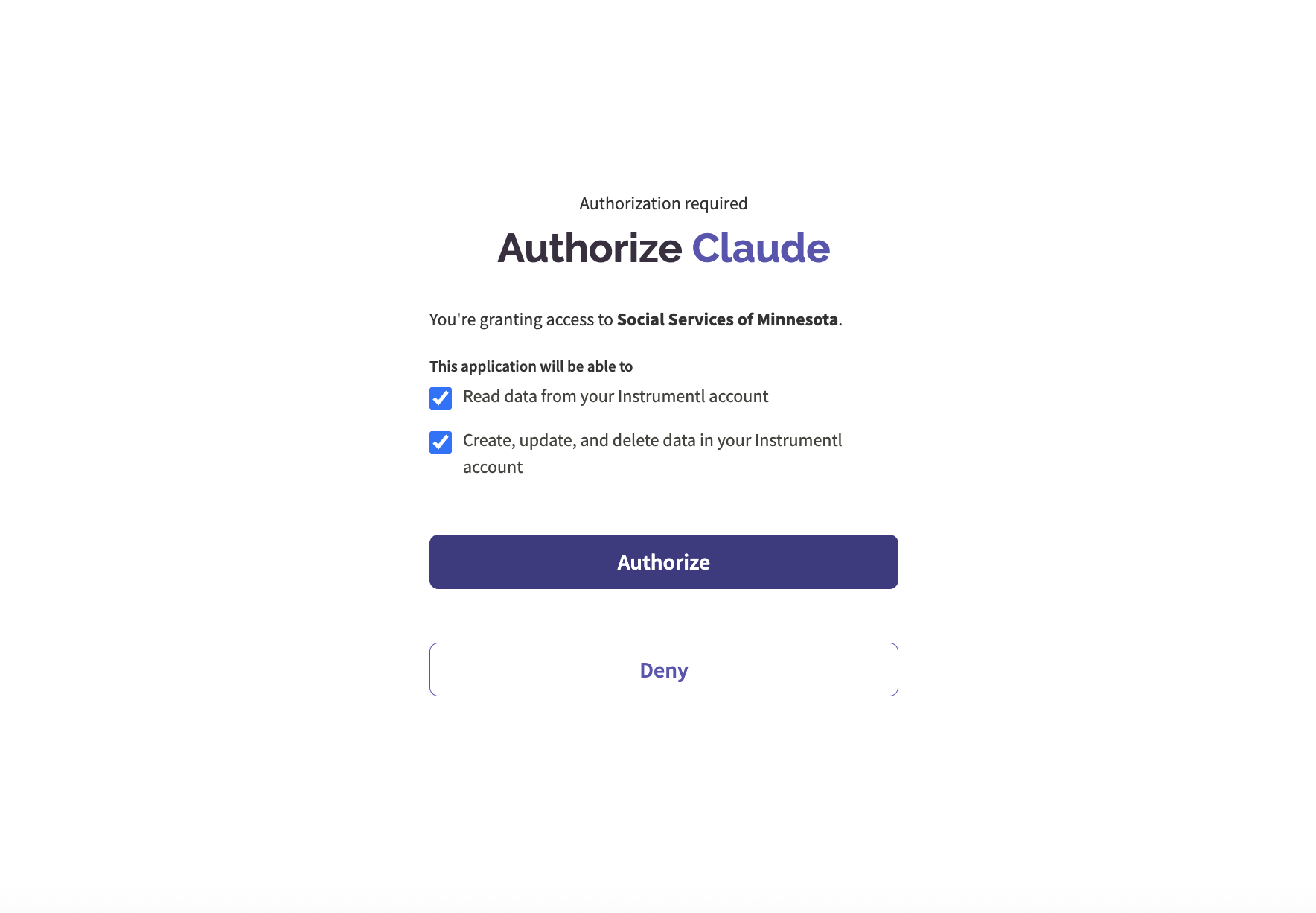
After you hit authorize, the connection should be complete. You’re ready to interact with your matches in Claude!
How can grant professionals use it
Grant professionals already juggle a lot of tools — documents, spreadsheets, shared drives, email. The connector opens up workflows that bring your Instrumentl data into that existing stack, without adding another place to manage things.
The examples below reflect what's possible with Instrumentl alone, or with other tools you have connected in Claude alongside it.
Triage your pipeline without building a view. "Pull up the matches for my workforce development project and help me work through them." No filters, no exports — Claude pulls your actual matches and you triage in plain language.
Turn prospect review into a shareable doc. With Google Docs connected, ask Claude to summarize your top three matches for a project and draft a one-pager your executive director can review. Research meets a deliverable in one step.
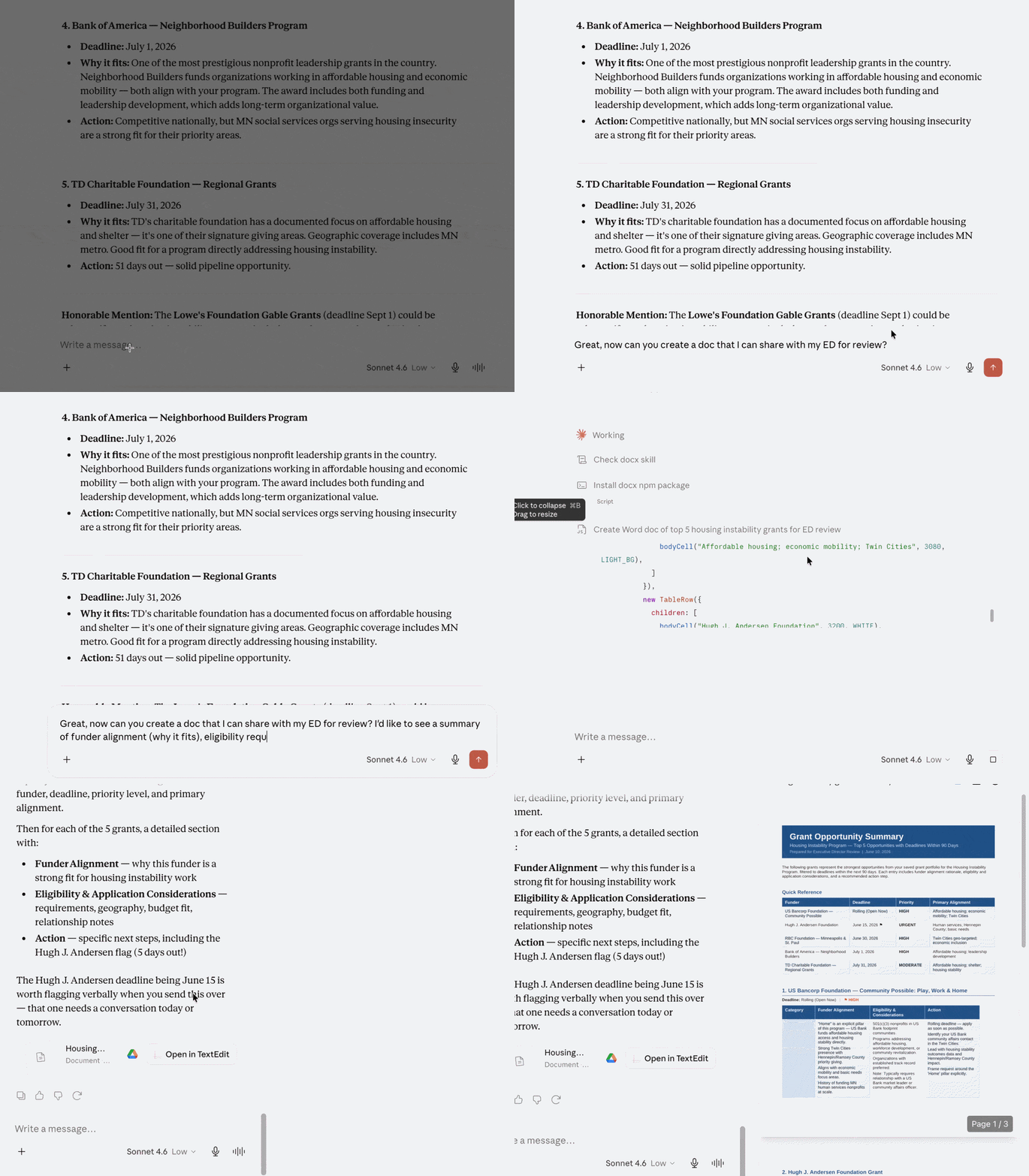
Match your grants to your strategy. Drop your organization's strategic plan or program priorities into the conversation alongside your Instrumentl data, and ask Claude which matches align best. It's the kind of cross-referencing that usually lives in a spreadsheet, or just in your head.
Stay ahead of deadlines. Ask Claude to pull your saved grants and flag the ones with deadlines coming up, then have it help you build a prep checklist or draft a calendar reminder for the strongest ones.
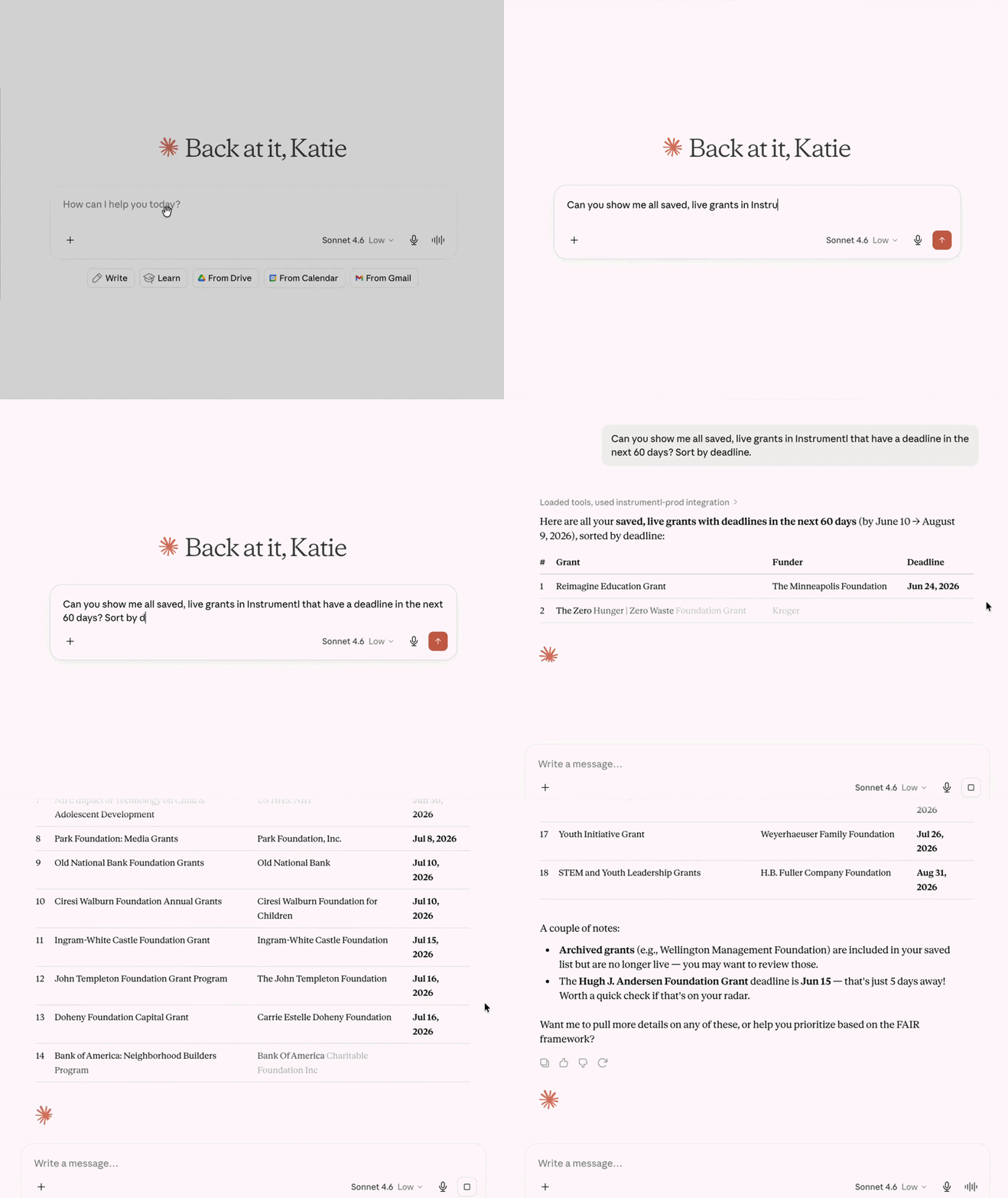
It’s a smarter, faster way to manage the questions you’re already asking every week.
A note on privacy
Your grant information is sensitive. A few things worth knowing about how the connector handles your data:
- Claude pulls your data on demand, meaning it fetches what's relevant to your specific question rather than loading all your grant data at once.
- Access is tied to your Instrumentl login, so the connector can only see what you see.
- You can disconnect at any time directly from Claude, which immediately cuts off access.
Your Instrumentl data lives in Instrumentl. The connector just lets Claude reach it when you need it to.
Who has access
The connector is available now to all Instrumentl customers.
What’s next
This first version is focused on grant discovery, and it's just the beginning.
We're building toward a version where anything you can do in Instrumentl, you can do in Claude too. Imagine asking Claude to pull up a recently awarded grant, check where the budget stands against your spenddown targets, and flag what's due to the funder next month, all without leaving the conversation. That's the kind of full lifecycle system we're working toward.
The MCP connector is one part of Instrumentl's most significant discovery upgrade to date, released alongside an enhanced prospecting experience: Smarter matching, real-time natural language refinement, and a pipeline that stays current as new opportunities enter the database. It's all built on the same foundation: Over a decade of funder insights, updated by our team of grant experts. The same trusted data, with a different front door.
If you're already an Instrumentl user, the connector is live in the Claude connector marketplace. Connect your account, try a real question against your real pipeline, and see what happens.

